First off — what exactly are the Carol Awards?
They are awards given out by American Christian Fiction Writers (ACFW) in recognition of outstanding Christian fiction in the previous calendar year. So these 2025 finalists are books published in 2024. You might have read them already, you might not. I’ll include links to books I’ve read and reviewed.
Carol Award Winners will be announced on September 6 2025 at the ACFW Gala in Springfield, Missouri (wouldn’t you love to be there?!)
How does this giveaway work?
You select which of the Carol Award finalists 2025 —Romance Category you would like to receive. Mention the title in your comment (or an email if you’re entering that way) and if you win, that’s the book that will be sent to you. Easy Peasy.
IMPORTANT TO NOTE:
Giveaway details may vary with each book (print, ebook only or winner’s choice of either, plus audible options for Canadians.) Edition availability will be noted in bold after the title/author/publisher of each entry. ALSO NOTE: Giveaway is for US and Canada OR ebook international if you have US Kindle account.
A Healing Touch by Suzanne Woods Fisher – Revell – Editor: Andrea Doering – Giveaway options: US: choice of paperback or ebook, Canada: choice of ebook or audible edition, International: ebook with a US Kindle account.
Ruth “Dok” Stoltzfus is the kind of doctor who still believes in house calls, addressing not just her patients’ physical needs but their emotional ones too. When newly widowed Bee faces a breast cancer diagnosis, Dok connects her with Fern Lapp for support. When her painfully shy assistant Annie finds herself drawn to a new calling, Dok goes to great lengths to help her achieve her dream. And when an abandoned newborn mysteriously appears at her office one frosty morning, Dok’s world takes an unexpected turn as ripples of change touch several lives.
A Healing Touch is a captivating tale of compassion, resilience, and the bonds that form in surprising places. Bestselling and award-winning author Suzanne Woods Fisher invites you into a new story that’s like medicine for the weary soul. Join Dok, Annie, and the tight-knit Stoney Ridge community as they navigate the twists of fate, discovering that sometimes the greatest healing comes from the heart.
My Review: https://kavsbestreads.ca/2025/02/28/a-healing-touch/
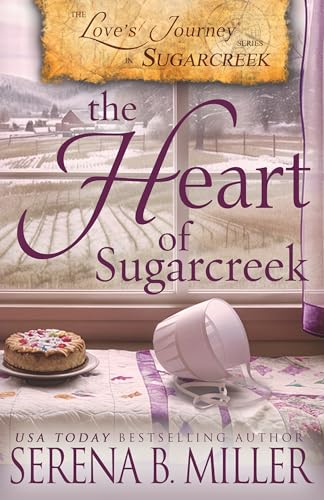
The Heart of Sugarcreek by Serena B. Miller – Indie – Editor: Brenda Kallner – Giveaway options: US: ebook Canada: choice of paperback or ebook. International: ebook with a US Kindle account.
In the heart of Sugarcreek, Ohio, as an icy blizzard bears down on the rural community, four unlikely strangers seek refuge at Lydia Troyer’s Amish Inn on Christmas Eve.
As they spend a makeshift Christmas together, secrets unravel, hearts are laid bare, and the unyielding power of love begins to work its magic, weaving a tapestry of redemption and renewal that will forever alter their lives.
“The Heart of Sugarcreek” is a tale of loss and longing, forgiveness and faith, where the unlikeliest of companions find themselves on a journey of self-discovery and second chances in the enchanting embrace of Sugarcreek’s winter wonderland.
Cole and Laila Are Just Friends by Bethany Turner – Thomas Nelson Fiction (HarperCollins) – Editors: Leslie Peterson and Laura Wheeler – Giveaway options: US: paperback or ebook, Canada: paperback or ebook or audible, International: ebook with a US Kindle account.
Cole and Laila have been inseparable since they could crawl. And they’ve never thought about each other that way. Except for when they have. Rarely. Once in a while, sure. But seriously . . . hardly ever.
Cole Kimball and Laila Olivet have been best friends their entire lives. Cole is the only person (apart from blood relatives) who’s seen Laila in her oversized, pink, plastic, Sophia Loren glasses. Laila is always the first person to taste test any new dish Cole creates in his family’s restaurant . . . even though she has the refined palate of a kindergartener. Most importantly, Cole and Laila are always talking. About everything.
When Cole discovers a betrayal from his recently deceased grandfather that shatters his world, staying in Adelaide Springs, Colorado, is suddenly unfathomable. But Laila loves her life in their small mountain town and can’t imagine ever living anywhere else. She loves serving customers who tip her with a dozen fresh eggs. She loves living within walking distance of all her favorite people. And she’s very much not okay with the idea of not being able to walk to her very favorite person.
Still, when Cole toys with moving across the country to New York City, she decides to support her best friend–even as she secretly hopes she can convince him to stay home. And not just for his killer chocolate chip pancakes. Because she loves him. As a friend. Just as a friend. Right?
They make a deal: Laila won’t beg him to stay, and Cole won’t try to convince her to come with him. They have one week in New York before their lives change forever, and all they have to do is enjoy their time together and pretend none of this is happening. But it’s tough to ignore the very inconvenient feelings blooming out of nowhere. In both of them. And these potentially friendship-destroying feelings, once out in the open, have absolutely no take-backs.
If When Harry Met Sally had a quippy literary love child with Gilmore Girls’ Luke and Lorelai, you’d get Cole and Laila. Just . . . don’t tell them that.
My Review: https://kavsbestreads.ca/2024/06/04/cole-and-laila-are-just-friends-giveaway/
Draw will be held and winner announced on Saturday July 12 2025. REMEMBER TO CHECK EDITION AVAILABILITY FOR EACH BOOK.